Never Lose Track of Your AI Conversations
Navigate through your chat history effortlessly with AI Chat Messages Toolkit. Find any message instantly across all major AI platforms.
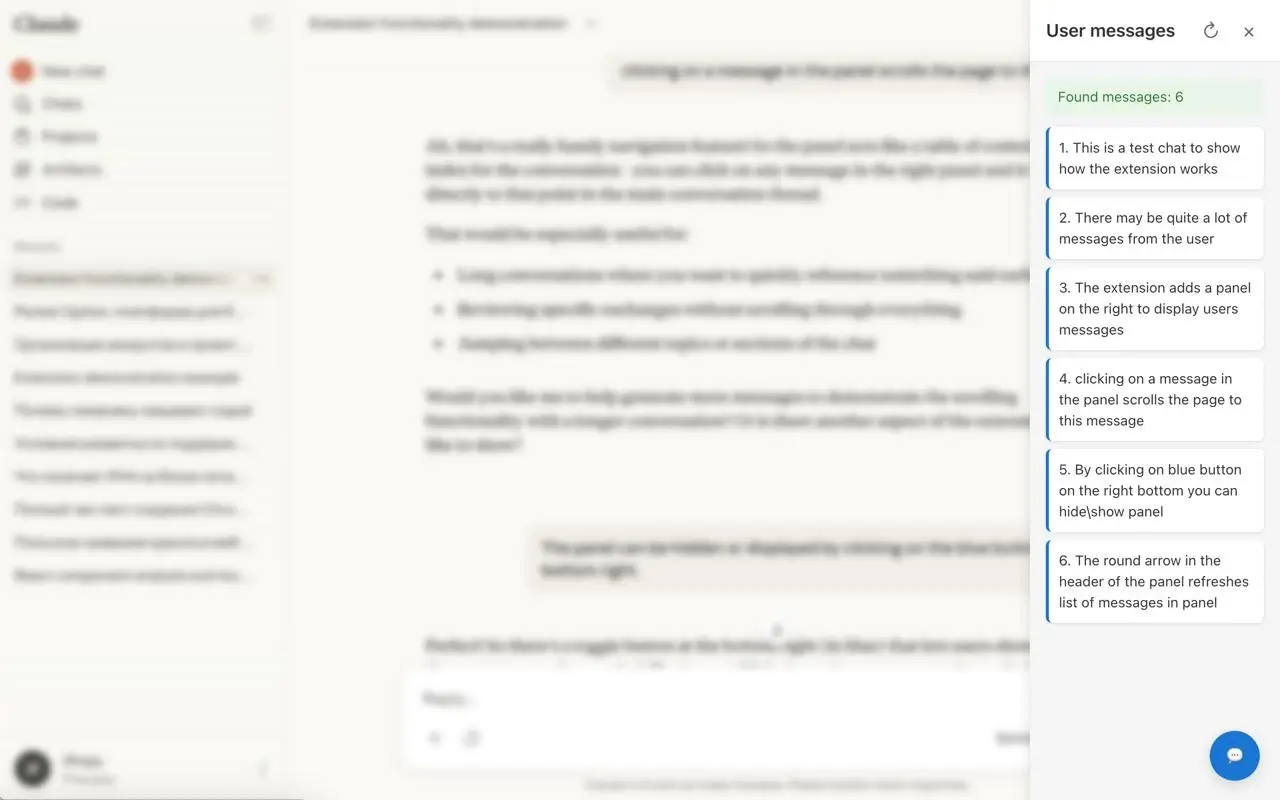
Powerful Features
Everything you need to manage your AI conversations efficiently
Quick Message Navigation
Instantly jump to any message in your conversation with a single click. No more endless scrolling through long chat histories.
Multi-Platform Support
Works seamlessly across ChatGPT, Claude, Perplexity, Gemini, and Microsoft Copilot. One extension for all your AI chats.
Smart Sidebar Panel
A convenient sidebar panel that shows all your messages at a glance. Toggle it on or off whenever you need it.
Quick Access Popup
Access your message list directly from the browser toolbar. Perfect for quick reference without leaving your current page.
Auto-Refresh
Automatically detects new messages and updates your navigation list in real-time. Always stay in sync with your conversation.
Privacy First
All processing happens locally in your browser. Your conversations never leave your device. No data collection, no tracking.
Works With All Major AI Platforms
Seamlessly integrated with the AI tools you use every day
ChatGPT
Full support for OpenAI's ChatGPT conversations

Claude
Navigate through your Claude conversations effortlessly
Perplexity
Track your research queries and conversations

Gemini
Manage your Google Gemini chat history
Microsoft Copilot
Full integration with Microsoft's AI assistant
How It Works
Get started in seconds, no configuration needed

Install the Extension
Add AI Chat Messages Toolkit to your browser with one click. No account required, no setup needed.

Open Any AI Chat
Visit ChatGPT, Claude, or any supported platform. The extension automatically detects your conversation.

Navigate Your Messages
Click the extension icon or use the sidebar panel to see all your messages. Click any message to jump directly to it.

Why Choose AI Chat Messages Toolkit?
-
Save Time
Stop wasting time scrolling through long conversations. Find any message instantly.
-
Stay Organized
Keep track of all your questions and conversations across multiple AI platforms.
-
100% Private
All processing happens locally. Your data never leaves your browser.
-
Lightweight
Minimal resource usage. Works smoothly without slowing down your browser.
-
Completely Free
No subscriptions, no hidden fees. Use all features without any limitations.
Frequently Asked Questions
Everything you need to know about AI Chat Messages Toolkit
Yes, AI Chat Messages Toolkit is completely free. There are no subscriptions, no premium tiers, and no hidden fees. All features are available to everyone.
No, absolutely not. All processing happens locally in your browser. Your conversations are never sent to any server, and we don't collect any data. Your privacy is our top priority.
The extension is built using Manifest V3, which means it works with Chrome, Edge, Brave, and other Chromium-based browsers. Firefox support may be available in the future.
We continuously monitor updates to all supported platforms and update the extension accordingly. If a platform changes its interface, we'll release an update to maintain compatibility.
Currently, the extension focuses on navigation within the chat interface. Export functionality may be added in future updates based on user feedback.
No, the extension is designed to be lightweight and efficient. It only activates on supported AI chat pages and uses minimal resources. You won't notice any performance impact.
Ready to Navigate Your AI Conversations?
Join early adopters who are already managing their AI chats more efficiently
Install Extension NowFree forever • No account required • 30-second setup